

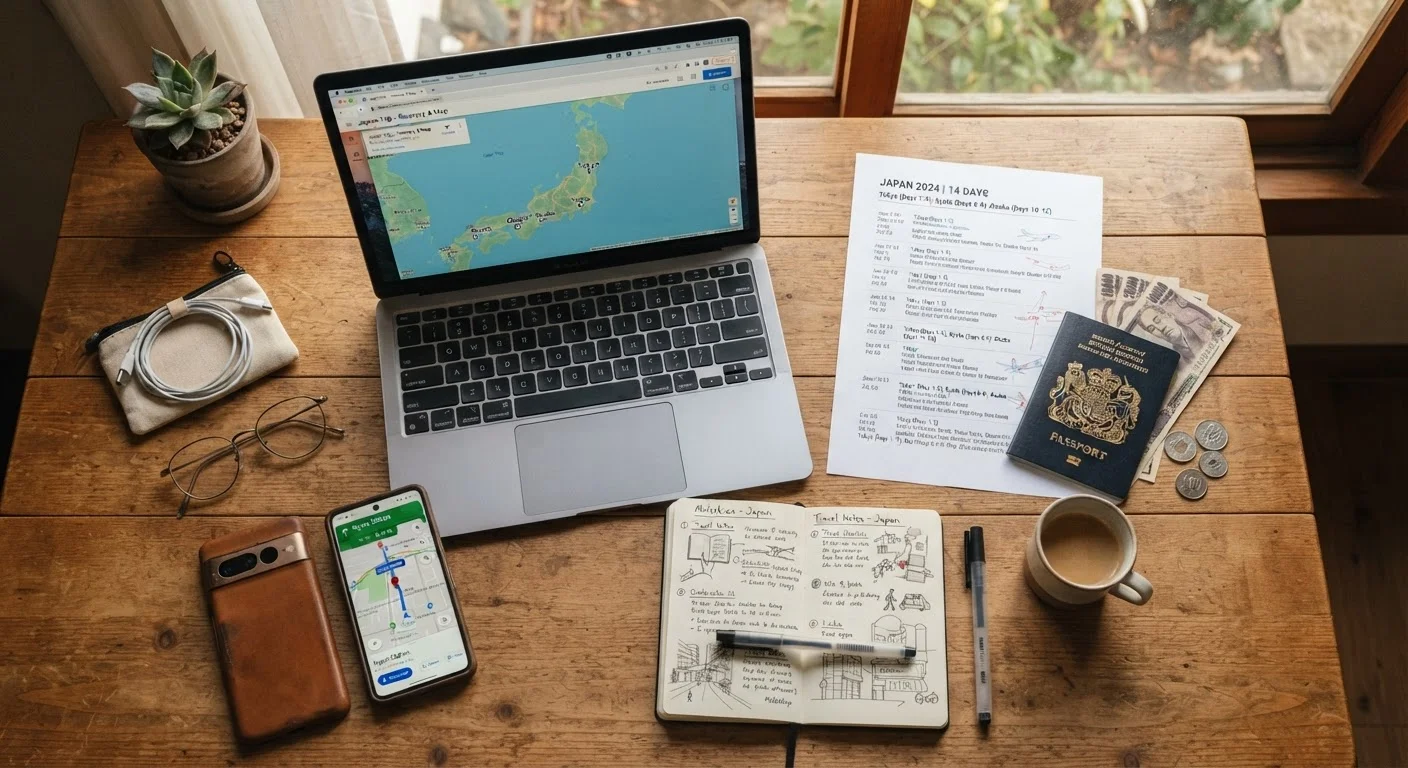
Why the Right Tools Make a Real Difference
Trip planning isn't one task — it's a sequence of decisions spread across weeks or months. Each phase has different information needs: early on you're comparing destinations and building a rough itinerary; later you're confirming logistics, storing documents, and prepping for navigation. Tools that work well for one stage can be nearly useless for another.
The travelers who feel least overwhelmed aren't necessarily the most experienced — they're the ones who've matched the right tool to the right job. This guide breaks down the main categories of planning tools, explains what each does well, and flags where each type tends to fall short. For a broader look at how these stages connect, see our end-to-end trip planning overview.
Digital mapping and navigation apps
Mapping apps are the backbone of modern travel logistics. Beyond turn-by-turn directions, the most useful ones let you search for points of interest, check transit routes, and — critically — download maps for offline use before you leave home. That last feature is essential when you're in an area with spotty signal or expensive roaming rates.
Where these tools fall short: they often show business hours and reviews that aren't updated in real time, and they can't account for local road closures or seasonal route changes. Cross-reference with official tourism sites or local sources for anything time-sensitive.
Download offline maps before departure — signal gaps catch travelers off guard more often than any other tech failure.
Itinerary organizers and shared documents
A centralized itinerary document — whether in a dedicated travel app or a shared cloud document — gives everyone in your group a single source of truth. Good itinerary tools let you attach confirmation numbers, addresses, and timing notes so you're not hunting through email threads at the airport.
The practical advantage of a shared document format is simplicity: anyone with the link can view or edit it, no app download required. Dedicated travel planning apps add structure (day-by-day views, map integration), but they require every traveler to use the same platform. Weigh the coordination overhead against the organizational benefit for your group size. See how a well-planned trip is structured for guidance on what information belongs at each stage.
A single shared document eliminates the confusion of scattered emails, texts, and confirmation PDFs across a group.
Currency converters
Even on a domestic trip, currency converters can be useful for comparing costs across regions. For international travel, they're indispensable. A reliable converter shows live exchange rates and lets you do quick mental math at markets, restaurants, or ticket windows where prices aren't in your home currency.
Look for converters that work offline using a recently cached rate — live rates are more accurate, but cached rates are far better than nothing when you're underground in a metro system or in a rural area. Be aware that the rate shown in an app reflects interbank or mid-market rates; what you actually get at an ATM or exchange counter will vary.
Offline-capable currency converters give you a working reference even when data access is unavailable or expensive.
Translation and language tools
Translation apps have improved significantly and now handle many real-world use cases well: reading menus, deciphering signs, or communicating basic needs. Camera-based translation — pointing your phone at text to get an instant overlay — is particularly useful in destinations where signage isn't in a Latin script.
Download language packs before you travel so the tool functions without internet access. Keep expectations realistic: machine translation handles straightforward text well but can stumble on idioms, regional dialects, or highly contextual language. For critical communications (medical situations, legal documents), seek a qualified human interpreter rather than relying solely on an app.
Camera-based translation handles menus and signage well — download language packs before you leave to use it offline.
Offline document storage
Storing scanned copies of your passport, travel insurance, visas, vaccination records, and booking confirmations in a secure, accessible location is one of the highest-value steps you can take before departure. If a physical document is lost or stolen, having a digital backup speeds up the recovery process considerably.
Cloud storage works when you have connectivity; for redundancy, also save copies locally on your device. Password-protect any folder or app containing sensitive documents. This is especially relevant for road trips — our glove box document checklist details which vehicle-specific papers to carry alongside your travel documents.
Secure digital backups of critical documents can be the difference between a minor setback and a travel crisis.
Weather and conditions trackers
Weather apps range from basic seven-day forecasts to tools that show hourly precipitation probability, wind conditions, and air quality — all of which matter depending on what you've planned. For outdoor activities, hiking, or driving through mountain passes, granular forecasts are more useful than a simple daily summary.
Use weather data to build contingency thinking into your itinerary rather than to lock in decisions weeks out. Forecasts beyond five to seven days carry significant uncertainty; treat them as directional, not definitive. For keeping your plan flexible, weather awareness is one of the most practical inputs you can build in from the start.
Granular hourly forecasts matter more than daily summaries when outdoor plans hinge on narrow weather windows.
Building a Planning Stack That Actually Works
The goal isn't to download every app — it's to cover each planning phase without redundancy. A lean setup might be: one map tool with offline capability, a shared document for the itinerary, a currency converter, a translation app, and a document storage solution. That's five tools with almost no overlap.
Test your tools before you leave home
Run a dry-run check two to three days before departure: open each app, confirm offline content has downloaded, verify document files are accessible without a connection, and make sure your itinerary is shared with everyone who needs it. Fixing a setup problem at home takes five minutes; fixing it at the airport takes much longer.
If you're road-tripping specifically, document preparation deserves extra attention. Our glove box documents guide covers what paperwork to carry in the vehicle and why each item matters. For flexibility once you're on the road, building adaptability into your itinerary offers practical methods for handling unexpected changes without unraveling the whole plan.
This article provides general informational guidance only. Verify all visa, entry, health, and safety requirements with official government and provider sources before you travel, as conditions and rules can change.
The content on this site is for informational purposes only and is not a substitute for professional advice. Always consult a qualified professional for guidance specific to your situation.